sarah.burke38
2 years agoActive Interactor
How do you make the outcome of a task within a thread optional?
Hi,
How do I have an outcome that is optional in a thread i.e
1. Meeting outcome is proceed to Projections and submit third parties (Trigger two new threads) or
2 Proceed to Projections thread,...

martin.joughin
2 years agoValued Supporter
When you are setting up a task there is an Outcomes tab where you can add as many outcomes as you'd like. When you are adding a new outcome, or editing an existing outcome, you can choose Multiple Actions. Click the + sign to add a new action e.g. start a thread. You can add as many actions as you need. I hope this helps.
Welcome to the Advisely forums!
This is where financial advice professionals from all walks of life come together to share knowledge, swap ideas, solve problems, and talk all things growth and efficiency.
Here are some tips when posting in the forums:
- Be respectful and courteous to fellow members
- If a reply helped you, mark it as a solution so other users can find it easily
- Take a moment to read through our Community Guidelines
- For Xplan support issues, it's best to raise a ticket in Iress Connect first. You can also search the discussions for posts about the same issue first before starting a new thread.
- Keep an eye out for our 'Ask me anything (AMA)' threads – these are live text-based Q&As with industry and Xplan experts during a set period of time. Find out when the next one is happening here.
- Don’t be shy! You don’t need to be an expert to help someone out. Many users are looking for practical advice, shared experiences, or just a fresh perspective
- Introduce yourself and meet other members here!
We’re glad you’re here – see you around! 😁

Recent Discussions
🤓 Xplan Hint: Email Signatures That Stick!
Did you know Xplan recently updated how email and SMS signatures work when using the 'Override From Address' option? Why the Change? No more worrying about an email going out with the wrong signa...courtney.youngblutt2 hours agoXplan Expert156Views3likes14Comments
Settings for client access to emails saved as Doc Notes
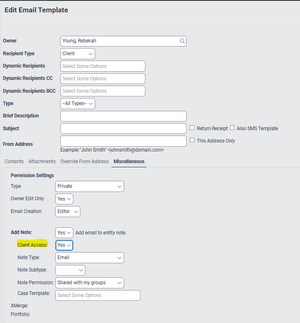
Does anyone know if or how I can change the standard setting in the client email template so that: Client Access = No At the moment the default is set to yes (as screen shot below) ...rebekah.young8 days agoNetwork Navigator61Views1like3Comments🤓Xplan Hint: Why not try a dynamic benchmark?
Are you using Benchmark Sets in your Cases? Have you found that sometimes, some benchmarks are simply not applicable or relevant to the client's scenario? For example, why would you complete a Risk R...laura.capozzi9 days agoXplan Expert14Views0likes1Comment



Related Content
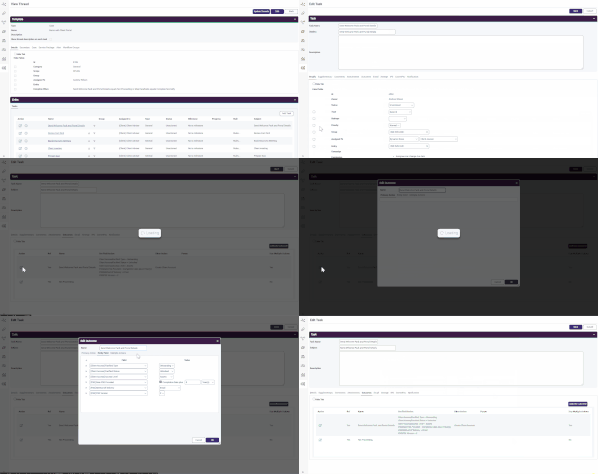
Did you know you can use a task outcome to update fields in Xplan?
That’s right, you don't need to click through pages to update fields, then come back to the task to mark it as done - simply comp...
Hi, we have set up our case benchmarks but not all of them can be automated or we have chosen not to automate some and require the adviser/paraplanner/admin/compliance staff member to go and link cer...

Road-test more retirement strategies together with clients and make tweaks on the go, without jumping back and forth to Xtools+.